There are two major pain points with AI site builders:
- Customization
- SEO friendliness
For customization, I wasn’t really worried. I am well familiar with self-hosted WP, so I was sure WordPress.com would be as customizable. There are plugins, themes, etc. So you can start with AI help, and then develop your skills as you go.
For SEO, I wasn’t sure.
WordPress has always been extremely SEO-friendly if you do things right (avoid overloading it with complicated themes, keep your plugins at bay, and limit the amount of tracking code).
But what about WordPress.com and, specifically, its AI-building solution?
Immediately as I built this website, I did some basic checks:
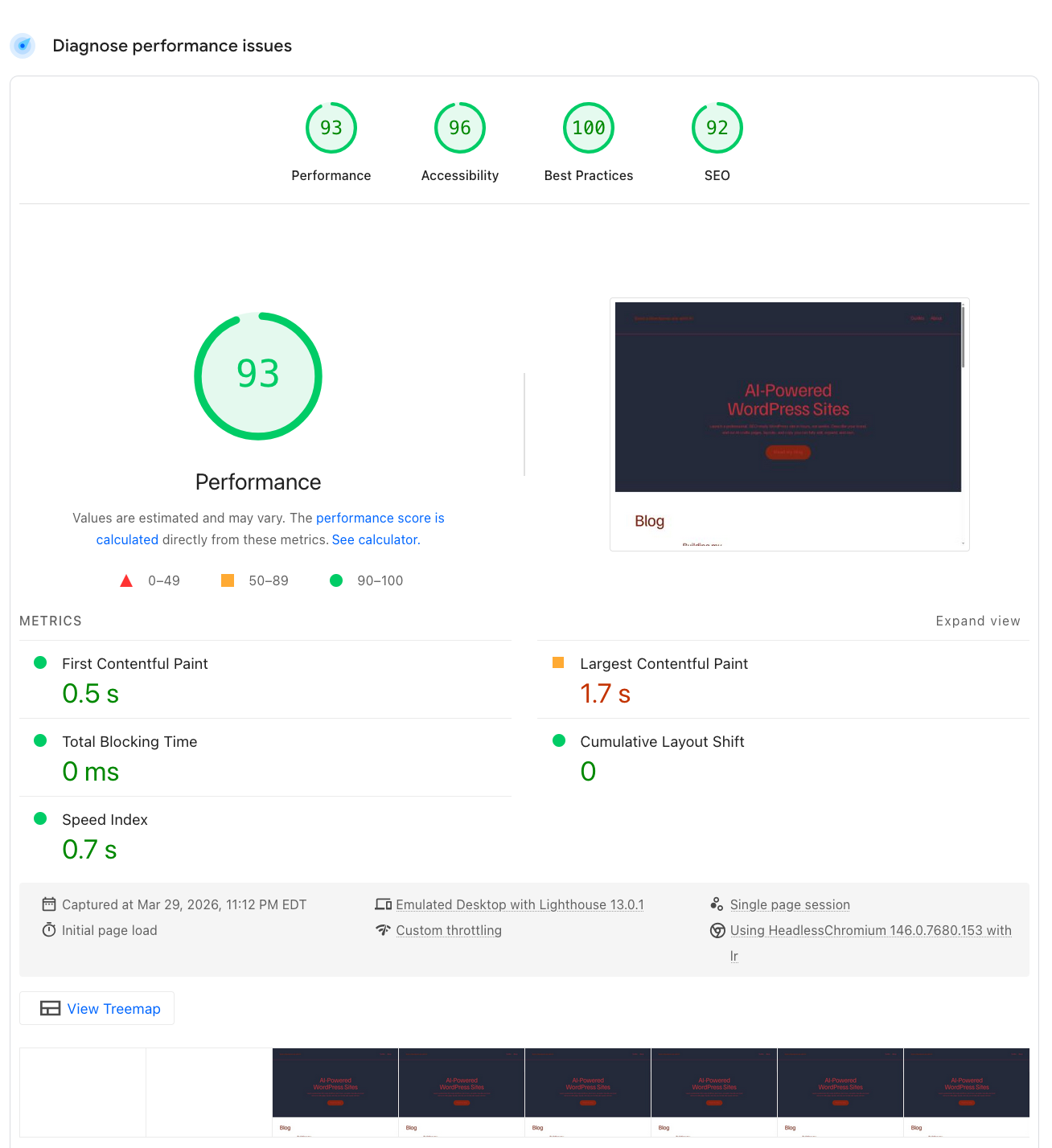
Page Insights Scores Are Great
I don’t think I have ever seen scores this high without any prior optimization effort.

It is a little lower on mobile, but I am not a perfectionist enough not to be happy with what it has.
Title, Meta Description, etc.
These are no-brainers. AI assistant set those up as I was giving it my prompts.
For individual posts, WordPress.com comes with default Yoast integration, allowing you to set the basics (focus keyword, SEO title, etc.). I don’t think you will need more at the beginning of your journey.

Internal Linking
Nothing by default (which is unfortunate).
Because it’s an AI experiment, I went to ask my helpful AI assistant.
Looks like I will need to do that manually, but the assistant provided helpful guidelines. Easy enough, but I wish things like that were available by default as people using AI builders may have no idea whether it is important.

Overall, easy process, and there’s an integrated AI Assistant there as well. Just does require an extra step to figure out where to do that.
Web Analytics
WordPress.com has Jetpack Stats installed by default. It will show you essential stats (clicks, sources, etc.) as well as help you set up UTM for tracking (if you do ads, for example).
I was pleasantly surprised that I got clicks for my one-day-old website:

Going forward, it will also help you verify Google Search Console or Google Analytics.
URL Structure: Pitfalls
The only thing that I was disappointed with is that you cannot set your permalinks unless you upgrade to a business plan.
Having dates in URLs has never been a good idea SEO-wise, so it is disappointing that WordPress.com insists on them in URLs.
Overall, very satisfying results!
Leave a Reply